



Every year someone asks us “which CMS ranks best on Google,” expecting a one-word answer. The honest answer is that Google does not hand out ranking points for which platform your site runs on. Crawling, indexing, and ranking come down to what your pages say, how they are structured, and whether real people find them useful, and that framing comes directly from Google’s own SEO documentation, not from platform marketing on either side of this debate.
That said, pretending platform choice is completely irrelevant would be dishonest too. Some CMS decisions are genuinely expensive to reverse, and a handful of them quietly put a ceiling on how far you can push technical SEO two or three years down the road. This guide is about identifying which of those decisions actually matter for your specific situation, instead of chasing a mythical “most SEO-friendly platform” that does not really exist in isolation.
1. The Uncomfortable Truth About CMS and Rankings
Roughly the majority of what actually drives rankings is platform-agnostic: topical depth, internal linking structure, earned backlinks, and matching genuine search intent. None of that depends on which CMS you happen to use. A perfectly optimized page on a technically limited platform can still outrank a poorly written page on the most flexible CMS available.
What the CMS actually controls is the ceiling on your technical execution, not the floor. A powerful, flexible CMS in the hands of a team that never touches its SEO settings performs no better than a limited one. A limited CMS in the hands of a disciplined team can still perform well within its constraints, it just runs out of room to grow sooner.
2. What a CMS Actually Needs to Support for SEO
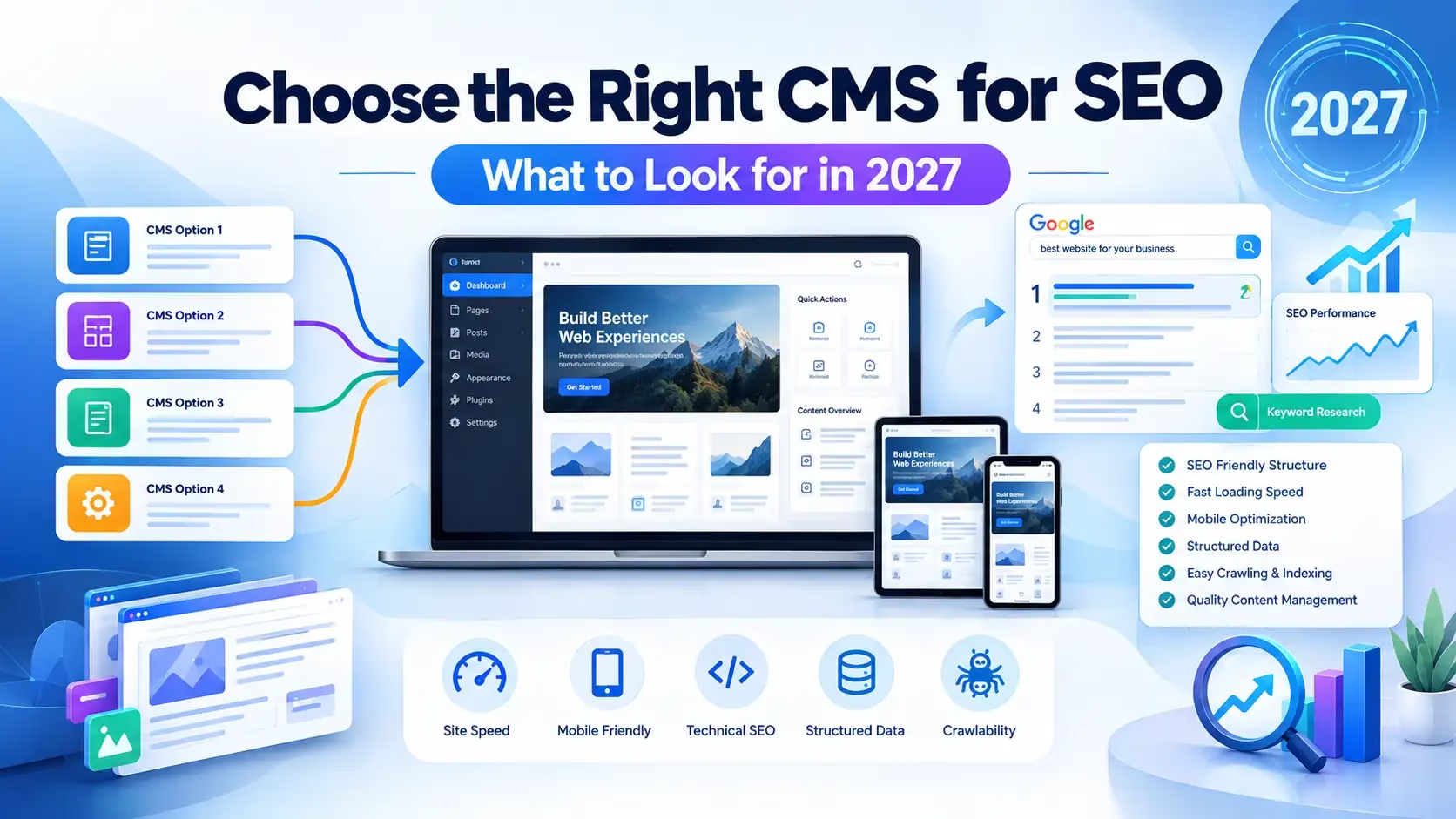
Before comparing specific platforms, here is the baseline checklist any CMS should support natively or through a well-maintained plugin or app:
- Per-page metadata control – custom title tags and meta descriptions on every page, plus Open Graph and Twitter Card tags for social sharing
- Canonical tag control – to avoid duplicate content issues, especially on category, filter, or variant pages
- XML sitemap generation – automatic and kept up to date as content changes
- 301 redirect management – without needing server-level access for every single redirect
- Structured data / schema markup support – increasingly important not just for traditional search results, but for how AI-driven search tools and assistants extract and cite information from your site
- Clean, human-readable URL structure – descriptive paths rather than system-generated IDs
- Mobile-responsive templates – a baseline requirement given how much search traffic now happens on mobile devices
- Reasonable Core Web Vitals performance out of the box, without requiring heavy custom development just to hit acceptable speed scores
Any CMS missing several of these forces you to fight the platform every time you publish, regardless of how good your content strategy is.
3. WordPress for SEO
WordPress remains the most flexible option on the market for a reason: it hands you nearly complete control over templates, URLs, metadata, redirects, and schema, especially when paired with a mature SEO plugin like Yoast SEO or Rank Math.
Strengths:
- Full control over URL structure, canonical tags, and redirects
- Extensive schema markup support through plugins, often covering more schema types than competing platforms offer natively
- Best suited to content-heavy sites: blogs, service pages, location pages, case studies, and large content libraries
- The largest plugin and theme ecosystem of any CMS, meaning almost any specific SEO need has an existing solution
Trade-offs:
- SEO performance is not automatic. It depends heavily on hosting quality, theme code quality, plugin management, and ongoing maintenance
- A poorly configured WordPress install with a bloated theme and too many plugins can perform worse on Core Web Vitals than a simpler platform’s default template
We cover the hosting side of that trade-off directly in our WordPress hosting speed comparison, since a technically excellent WordPress SEO setup still needs fast infrastructure underneath it to translate into real Core Web Vitals performance.
4. Shopify for SEO
Shopify is generally the most practical choice when your site’s main purpose is transactional, selling physical or digital products at real volume, where hosted checkout reliability and inventory management outweigh URL flexibility concerns.
Strengths:
- Automatic sitemap generation, breadcrumb navigation, and built-in product schema
- Auto-generated canonical tags that help avoid duplicate content issues common in e-commerce, particularly around product variants
- Fast, secure, reliable infrastructure out of the box without needing separate hosting decisions
Trade-offs:
- More rigid URL structure rules than WordPress, with certain URL patterns (like the
/products/or/collections/prefix) that cannot be fully customized on standard plans - Design and template customization is more limited compared to WordPress or Webflow
- Transaction fees apply on certain plans depending on payment gateway choice
5. Wix for SEO
Wix has closed most of the SEO gaps that made it a poor choice years ago. Modern Wix includes genuinely functional built-in SEO tools that work well for smaller sites without requiring a developer.
Strengths:
- Built-in SEO features accessible without technical knowledge: meta tags, alt text, sitemap generation
- A strong fit for small businesses and solo operators managing a modest site (roughly 10 to 60 pages) without a developer on retainer
- Industry-specific templates that come reasonably well-structured out of the box
Trade-offs:
- Still limits server-level access compared to WordPress or a headless setup, which caps advanced technical SEO work
- Less suited to large, content-heavy sites that need extensive custom URL structures or complex schema implementations
6. Webflow for SEO
Webflow occupies a middle ground: strong technical and visual control without requiring traditional coding, aimed at design-focused teams who still care about performance.
Strengths:
- Clean, efficient code output that tends to produce strong Core Web Vitals scores without extensive manual optimization
- Native support for dynamic content and technical SEO elements without a plugin dependency the way WordPress requires
- A genuinely strong fit for design-focused companies or agencies wanting tight visual and technical control in one tool
Trade-offs:
- Smaller plugin/integration ecosystem compared to WordPress, meaning some specific SEO needs may require custom development
- Content editing for non-technical clients can be less intuitive than WordPress’s native block editor
7. Headless CMS for SEO
A headless CMS separates content management from the presentation layer entirely. Content gets managed in one system and delivered to a separately built front end, often using a JAMstack architecture that pre-renders pages for near-instant load times.
Strengths:
- Maximum performance ceiling, since pre-rendered pages can load faster than almost any traditional CMS template
- Complete design and structure flexibility, unconstrained by a specific platform’s templating system
- Increasingly relevant for AI search visibility, since API-first content modeling tends to expose cleaner, more structured data for AI systems like ChatGPT Search, Google AI Overviews, and Perplexity to extract and cite directly
Trade-offs:
- Requires dedicated developer resources and meaningfully higher upfront investment than a traditional CMS
- Only makes sense once organic search already drives enough revenue to justify the added technical complexity and ongoing maintenance cost
- Not a realistic option for a small business without in-house or retained development support
8. Drupal and HubSpot CMS for Larger Organizations
Both platforms are generally better suited to larger organizations with complex content structures, multi-team workflows, or integrated marketing operations rather than a typical small business site.
- Drupal offers deep customization and strong handling of complex, multilingual, or highly structured content, but comes with a steeper technical learning curve than WordPress or Webflow.
- HubSpot CMS integrates tightly with HubSpot’s own marketing, sales, and CRM tools, which is valuable specifically for organizations already using that ecosystem, but represents a less flexible, more expensive option for a business that does not need that integration.
9. Decision Framework: Matching CMS to Business Type
| Business Type | Recommended CMS | Why |
|---|---|---|
| Content-heavy site, blog, local service business | WordPress | Full control over content structure, schema, and internal linking at scale |
| Product-first e-commerce store with real transaction volume | Shopify | Checkout reliability and built-in e-commerce SEO outweigh URL rigidity |
| Small business, solo operator, 10-60 pages | Wix | Maintainable without a developer, sufficient built-in SEO |
| Design-focused agency or brand site | Webflow | Strong Core Web Vitals out of the box with tight design control |
| Large-scale site with major organic revenue already flowing | Headless CMS | Performance ceiling and AI-search structuring justify the investment |
| Large organization with complex workflows or existing HubSpot/enterprise tools | Drupal or HubSpot CMS | Built for scale and integration rather than simplicity |
10. The Migration Trap Nobody Warns You About
If your current CMS is already ranking reasonably well, switching platforms purely for SEO reasons is, in most cases, a bad trade. CMS migrations regularly cost a meaningful chunk of organic traffic, commonly in the range of 15 to 30 percent, for one to three months even when executed carefully, due to URL changes, redirect gaps, and the time it takes search engines to fully re-crawl and re-index a migrated site.
Migrate for a genuine business reason (outgrowing the platform’s real limitations, needing e-commerce functionality you cannot bolt on, a design system your current CMS cannot support), not because a comparison article convinced you a different platform “wins” at SEO in the abstract.
11. Comparison Table
| Platform | Best For | Biggest SEO Strength | Biggest SEO Limitation |
|---|---|---|---|
| WordPress | Content-heavy sites, local businesses, publishers | Full control over URLs, schema, and redirects | Requires ongoing maintenance to avoid bloat |
| Shopify | Product-first e-commerce at volume | Built-in e-commerce schema and canonical handling | Rigid URL structure rules |
| Wix | Small business, solo operators | Accessible built-in SEO tools | Limited server-level control |
| Webflow | Design-focused teams and agencies | Clean code, strong Core Web Vitals by default | Smaller integration ecosystem |
| Headless CMS | High-traffic sites with dev resources | Maximum performance and AI-search structuring | High upfront cost and complexity |
| Drupal / HubSpot CMS | Large, complex organizations | Deep customization or marketing-stack integration | Steeper learning curve, higher cost |
12. Frequently Asked Questions
Does switching CMS platforms improve SEO rankings on its own?
No. Rankings depend primarily on content quality, internal linking, and backlinks, all of which are platform-agnostic. A CMS switch only helps if your current platform is genuinely limiting technical execution you actually need.
Is WordPress still the best CMS for SEO in general?
For content-heavy businesses wanting maximum flexibility and control, yes, it remains one of the strongest all-round options. For a product-first e-commerce business, Shopify is often more practical despite offering less URL flexibility.
What CMS features matter most for AI search visibility, not just traditional Google rankings?
Clean, structured data and schema markup matter more than ever, since AI-driven search tools rely on being able to extract clear, well-organized information rather than parsing loosely structured HTML. This is one area where headless architectures and WordPress’s mature schema plugin ecosystem both have a real advantage over more template-locked platforms.
Should a small business consider a headless CMS?
Generally no, unless organic search already drives significant revenue and there is budget for dedicated development resources. The complexity and cost are rarely justified for a smaller site.
How much traffic will I lose migrating to a new CMS?
Even carefully executed migrations commonly see a temporary drop of 15 to 30 percent in organic traffic for one to three months, due to URL changes and re-crawling time, which is why migrating for SEO reasons alone, without a stronger underlying business justification, is usually not worth the risk.
Choosing With Your Actual Business in Mind
The right CMS is the one that matches your content volume, your team’s technical comfort level, and your business model, not whichever platform wins the most comparison articles this year. A content-heavy local service business and a high-volume e-commerce store have almost nothing in common in terms of what they need from a CMS, and treating them the same way is how businesses end up migrating twice.
If you want help deciding which platform actually fits your business, or need CMS development and setup handled properly from the start, our CMS and web development services cover exactly this kind of platform decision-making, and our on-page SEO checklist is the right next step once your CMS foundation is settled, since content and metadata optimization only compound on top of a technically sound platform. For WordPress specifically, our best speed plugins and OPcache guide cover the technical performance work that determines how well that flexibility actually translates into Core Web Vitals results.