



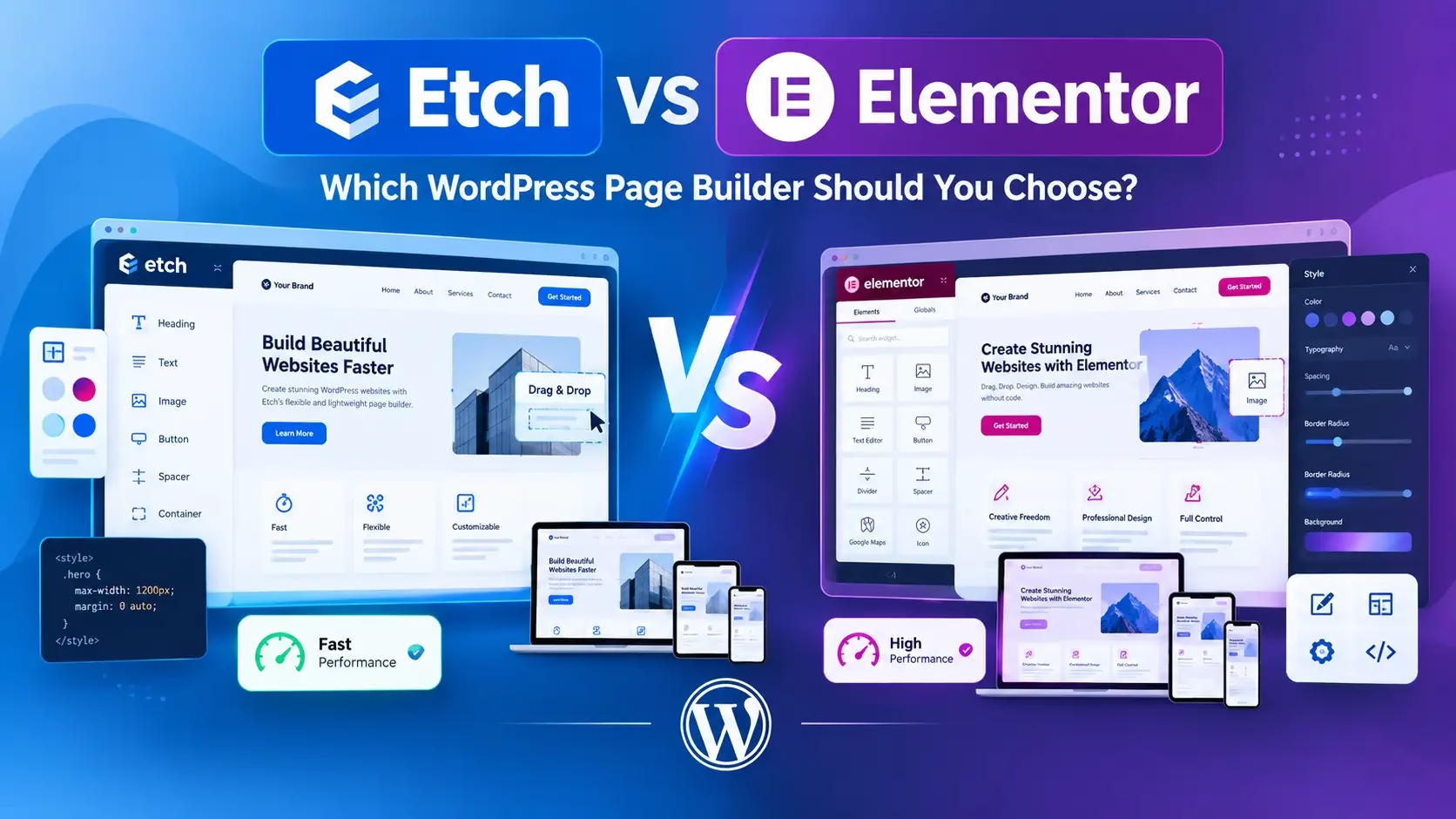
Ask a beginner and an experienced WordPress developer which page builder is “best,” and you will get two completely different answers, and both of them will be right, just for different people. That is the actual story behind Etch vs Elementor, and most comparison articles online flatten it into a simple “which one wins” verdict that ignores who is actually asking the question.
We build client sites on both, depending on the client, the team maintaining the site afterward, and what the site actually needs to do long term. This comparison is written from that position: not picking a winner to please an affiliate program, but laying out exactly who each tool is actually built for.
1. What Etch Actually Is
Etch is the page builder created by Digital Gravy, the same company behind the popular Automatic.css framework, led by Kevin Geary. It launched with a specific philosophy: rather than hiding CSS and HTML behind drag-and-drop abstractions, Etch works alongside real code, giving developers and technically-minded designers a visual interface that still respects how web design actually works under the hood.
A defining feature of Etch is that it integrates directly with the native WordPress block editor (Gutenberg) rather than replacing it entirely. That matters more than it sounds. Content built in Etch stays readable and editable inside WordPress’s own block editor for clients afterward, rather than being locked into a proprietary builder format that becomes unreadable garbage if the plugin is ever deactivated.
Etch is explicitly marketed as a tool for people who want to learn the actual craft of web development, not a shortcut for someone who wants to avoid touching code entirely. It is designed to pair seamlessly with Automatic.css, and together the two are positioned as a replacement for multiple separate premium plugins (custom CSS frameworks, some page builder functionality, and parts of what a theme framework would normally handle).
2. What Elementor Actually Is
Elementor is, by a wide margin, the most widely used WordPress page builder in the market, with millions of active installations. It popularized visual, drag-and-drop page building for WordPress, letting users construct pages by dragging widgets (buttons, headings, image galleries, forms) directly onto a live preview without touching code.
Elementor’s biggest strength has always been accessibility. A freelancer, small business owner, or agency onboarding junior staff can become productive in Elementor within days, because almost nothing requires understanding HTML or CSS to get a functional result. Its ecosystem is enormous, with thousands of third-party addon packs, theme integrations, and a massive base of existing tutorials and community support.
Elementor ships in a free version with core building functionality, and a paid Elementor Pro tier that unlocks theme building, popup builders, WooCommerce builder features, and more advanced widgets.
3. Core Philosophy Difference
This is really the heart of the entire comparison, and it explains almost every other difference on this list.
| Etch | Elementor | |
|---|---|---|
| Core Philosophy | Code-adjacent, teaches and respects real CSS/HTML | Abstraction-first, hides code behind visual controls |
| Target User | Developers, technical designers, agencies wanting long-term maintainability | Beginners, freelancers, small businesses wanting speed to launch |
| Content Format | Stays close to native WordPress blocks | Proprietary widget/section structure |
Neither philosophy is objectively wrong. A tool that respects real code produces more maintainable, portable output over the long run, but demands more upfront skill. A tool that abstracts everything away gets a beginner to a working site faster, at the cost of some long-term flexibility and portability.
4. Learning Curve Comparison
- Etch has a real learning curve if you do not already understand HTML and CSS fundamentals. For someone who does have that background, the interface is described consistently by users as intuitive precisely because it speaks the same design language developers already know, rather than inventing a new abstraction layer to learn on top of concepts they already understand.
- Elementor is built specifically to minimize the learning curve. Most core functionality can be picked up through visual experimentation alone, without any reference documentation, which is exactly why it remains the default recommendation for non-technical WordPress users.
Practical takeaway: if you or your team already write CSS comfortably, Etch’s learning curve is shallow. If nobody on your team touches code, Elementor gets you to a working result faster.
5. Performance and Page Weight
Page builder bloat has been a long-running criticism of drag-and-drop builders generally, including Elementor, since visual builders historically generate more CSS and markup than a hand-coded page would need to achieve the same visual result. Elementor has made real, ongoing improvements here over the years (reducing unnecessary CSS output, improving loading strategies), but the underlying architecture still generates more layered markup than a code-close tool by design, since it needs that structure to power its visual, drag-and-drop flexibility.
Etch’s code-adjacent approach generally produces leaner output, since it does not need to abstract every style decision into a proprietary widget system the way a drag-and-drop builder does. A developer working directly with real classes and CSS tends to end up with a lighter final page than the equivalent built with heavy widget nesting.
This connects directly to the site speed fundamentals we cover in our guide on best speed plugins for WordPress, since builder choice is one of the underlying factors a caching plugin cannot fully compensate for on its own.
6. Content Editing for Clients
This is an underrated factor that matters enormously once a project moves from development into ongoing client use.
Etch’s integration with the native WordPress block editor means a client can generally go into their WordPress dashboard after launch and edit their own content using the same block editor interface WordPress ships with by default, rather than needing to relearn a completely separate builder interface just to change a headline.
Elementor requires the client to work inside the Elementor interface itself for any meaningful edits to Elementor-built sections, which for many small business clients is actually fine, since Elementor’s editor is visual and approachable, but it does mean the client is now dependent on that specific plugin remaining active and licensed indefinitely.
7. Ecosystem and Plugin Replacement
- Elementor’s ecosystem advantage is real and significant. With years of market dominance, there are thousands of Elementor-specific addon packs, WooCommerce integrations, theme kits, and a support community large enough that almost any specific problem has already been solved and documented somewhere online.
- Etch’s approach is different: consolidation rather than expansion. Rather than relying on a wide ecosystem of third-party addons, Etch and Automatic.css together are positioned to replace the functionality of multiple separate premium plugins (custom CSS frameworks, some SEO and performance tooling, parts of a typical premium theme’s functionality) within one unified, tightly integrated toolkit built by the same team.
Neither approach is inherently better. A larger ecosystem means more existing solutions to borrow from. A tighter, unified toolkit means fewer plugin conflicts and a more predictable, maintainable stack over time.
8. Pricing Comparison
| Etch | Elementor | |
|---|---|---|
| Free tier available | Limited, primarily built around paid licensing | Yes, functional free version available |
| Paid tier focus | Full builder plus tight integration with Automatic.css | Elementor Pro unlocks theme building, popups, WooCommerce builder |
| Typical use case for paid tier | Agencies and developers building maintainable, code-close sites | Freelancers and businesses wanting the fastest path to a finished site |
Pricing for both tools changes over time, so always verify current plans directly on each company’s official pricing page before making a purchasing decision, rather than relying on older comparison articles.
9. Who Should Choose Etch
- Developers and technical designers who already understand HTML and CSS and want a tool that respects that knowledge instead of hiding it
- Agencies building long-term maintainable sites for clients who will keep working with the same technical team
- Anyone specifically wanting to reduce their premium plugin stack by consolidating into a tighter, unified toolkit
- Teams who want content that stays portable within WordPress’s native block editor rather than locked into a proprietary builder format
10. Who Should Choose Elementor
- Beginners and non-technical business owners who need to build and launch a site quickly without writing code
- Freelancers who need the fastest path from client brief to finished, functional website
- Agencies whose junior staff or clients will be editing content directly and benefit from Elementor’s approachable visual interface
- Projects that need immediate access to a massive existing ecosystem of themes, addons, and WooCommerce-specific functionality
11. Comparison Table
| Factor | Etch | Elementor |
|---|---|---|
| Best for | Developers, agencies wanting long-term maintainability | Beginners, freelancers, fast launches |
| Learning curve | Steeper without HTML/CSS knowledge | Minimal, visual-first |
| Performance/page weight | Generally leaner, code-close output | Improved over the years, still heavier by architecture |
| Client-friendly editing | Yes, via native WordPress block editor | Yes, via Elementor’s own interface |
| Ecosystem size | Smaller, tightly integrated with Automatic.css | Massive, thousands of third-party addons |
| Content portability | High, stays close to native WordPress blocks | Lower, tied to Elementor’s proprietary format |
12. Frequently Asked Questions
Can I switch from Elementor to Etch on an existing site?
Technically possible, but it usually means rebuilding pages rather than a clean one-click migration, since the two tools store content in fundamentally different formats. Treat a switch as a rebuild project, not a simple export/import.
Is Etch harder to learn than Elementor?
For someone with no HTML or CSS background, yes, noticeably. For someone who already understands those fundamentals, many users report the opposite experience, since Etch speaks the same design language they already know rather than requiring them to learn a separate abstraction layer.
Does Elementor slow down my website?
It can contribute to page weight and load time more than a lighter, code-close builder, though Elementor has made real performance improvements over the years and a well-optimized Elementor site with good hosting and caching can still perform well. Builder choice is one factor among several, not the only one.
Which one is better for WooCommerce?
Elementor currently has a more mature, widely used WooCommerce builder integration within Elementor Pro, backed by a large ecosystem of WooCommerce-specific addons, which makes it the more proven choice for complex WooCommerce storefronts today.
Do I need to know CSS to use Etch at all?
Not necessarily to get started, but you will get significantly more value and a shallower practical learning curve if you already understand CSS fundamentals, since that is the core audience Etch is built for.
Making the Right Call for Your Project
The honest answer to “Etch vs Elementor” is that it depends entirely on who is going to build the site and who is going to maintain it afterward. Choosing based on which tool a comparison article calls “the winner” without factoring in your own team’s technical comfort level and the client’s long-term needs is how projects end up stuck with the wrong tool six months in.
If you want help deciding which builder actually fits your specific project, or want a WordPress site built with either tool, our digital marketing services cover WordPress development end to end, and our WordPress hosting speed comparison is worth reading alongside this one, since your choice of builder and your choice of host compound together on final site performance. For the technical fundamentals that matter regardless of which builder you pick, our OPcache guide and best speed plugins for WordPress both cover settings that apply no matter which builder sits on top of them.
